
Let your customer pay us directly
Send the homeowner a secure payment link — we can follow up until they pay.
On the quote tap Send to my customer to pay, type their email and tap Send payment link. If the quote is under a job, their email is already filled in.
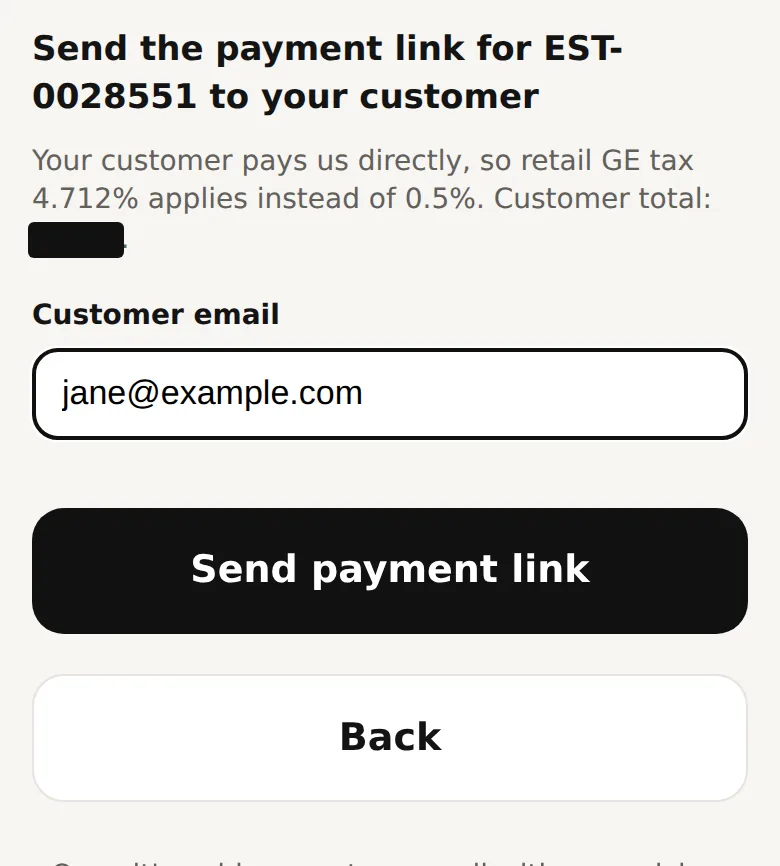
When the homeowner pays us directly, retail GE tax (4.712%) applies. Once it is paid we let you know your pickup number.
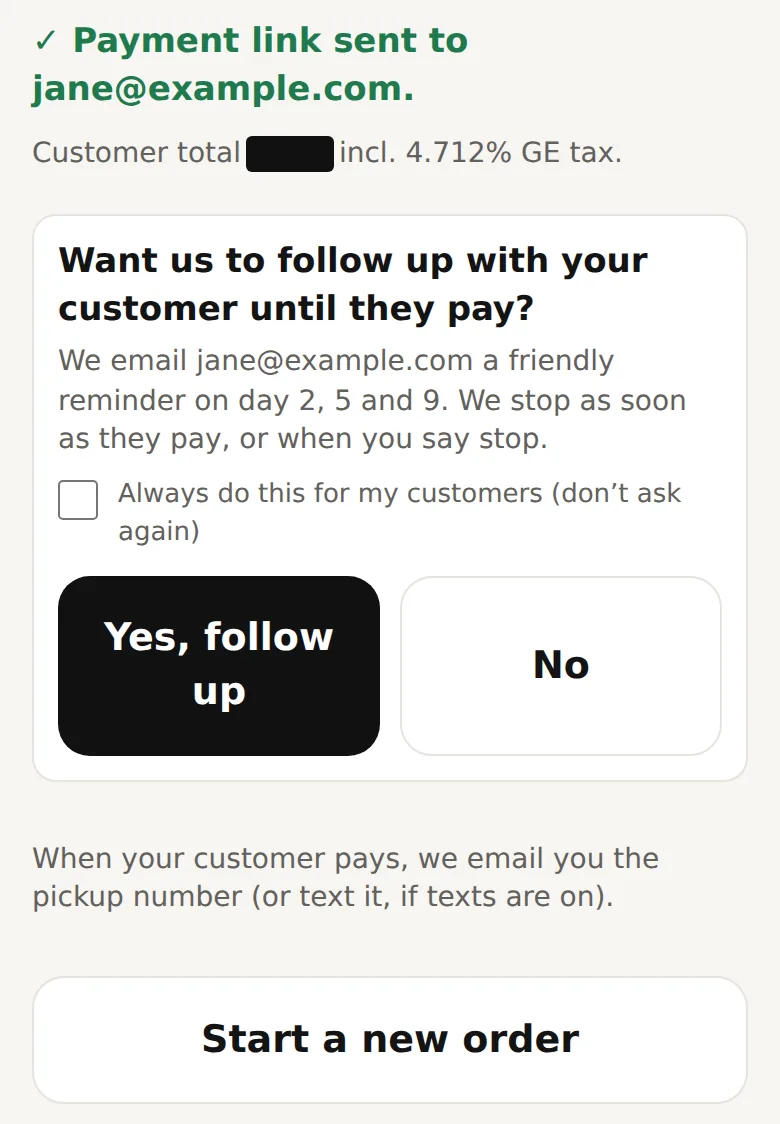
Right after sending, we ask: "Want us to follow up with your customer until they pay?" Tap Yes and we email them a friendly reminder on day 2, 5 and 9. We stop as soon as they pay. Tick "Always do this for my customers" and we won’t ask again. You can switch this on or off any time under the gear icon → Settings.
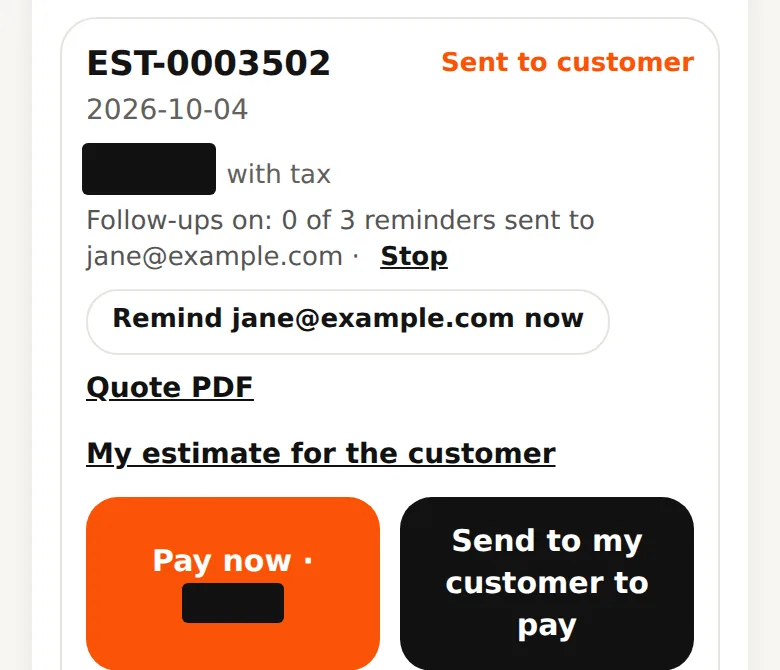
On Quotes you see how many reminders went out. Tap Stop any time. You can also tap Remind … now to send one yourself: up to 3 per quote, at most one a day.
- Follow-ups are off unless you say yes.
- Give your customer a smaller discount than yours in the cart and you earn the difference — see "Earn commission".
Questions? Call 808-210-4807.